
One tool for the entire timetabling process
The tool covers everything from work distribution in the spring to the substitute plan on a Tuesday morning in November. The screenshots below come straight from Vklass schema, with synthetic demo data from the demo organization's schools.
The whole school year on one screen
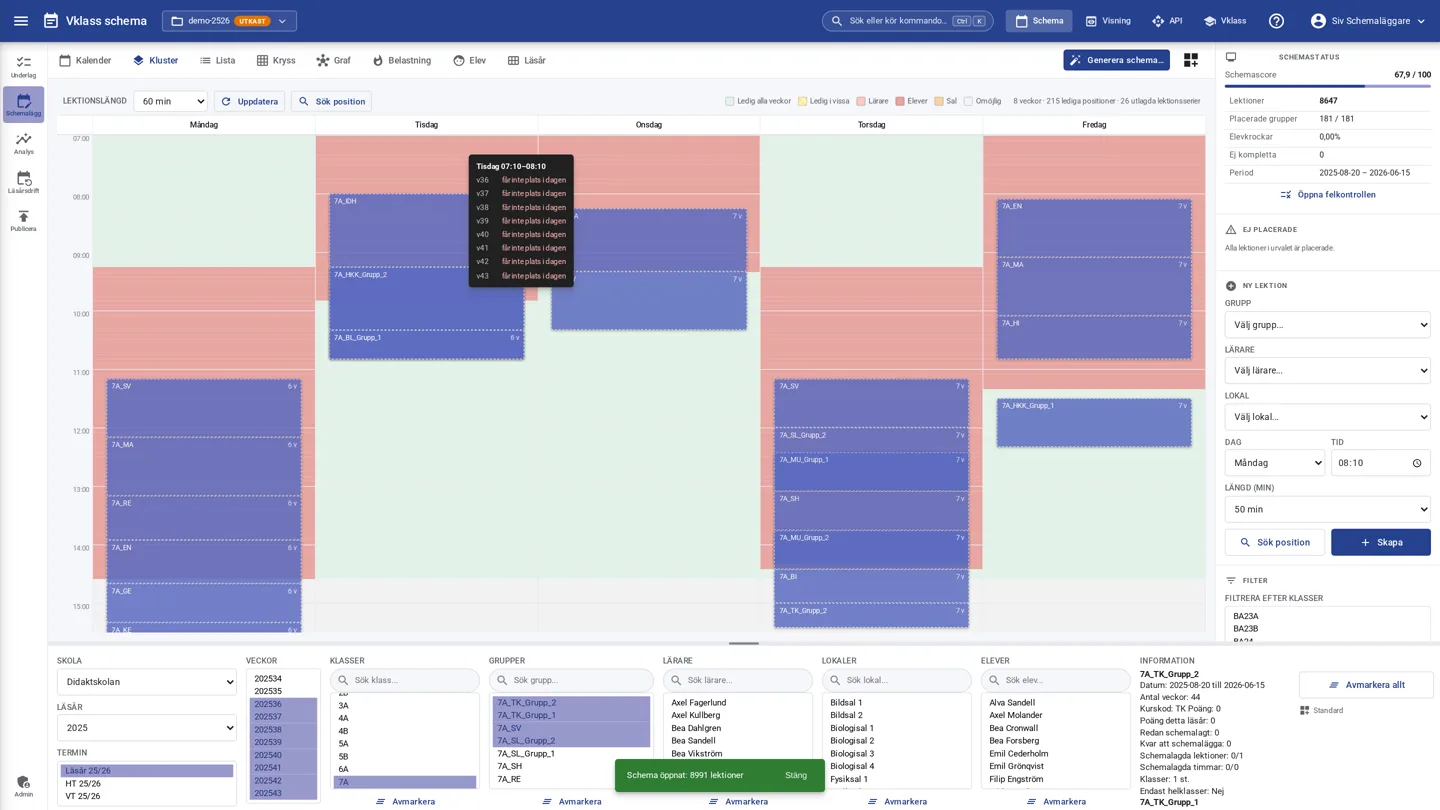
The cluster view shows all selected weeks at once. Place a lesson on a free slot and it is laid out in all weeks according to its weekly pattern: every week, every other week, A/B weeks or custom periods. Holidays and staff training days are skipped automatically.
- Impossible positions are dimmed before you drop
- Find position: the engine ranks valid slots with pros and cons
- The cluster grid across 40 weeks redraws in under 50 milliseconds
Drag, drop and get answers instantly
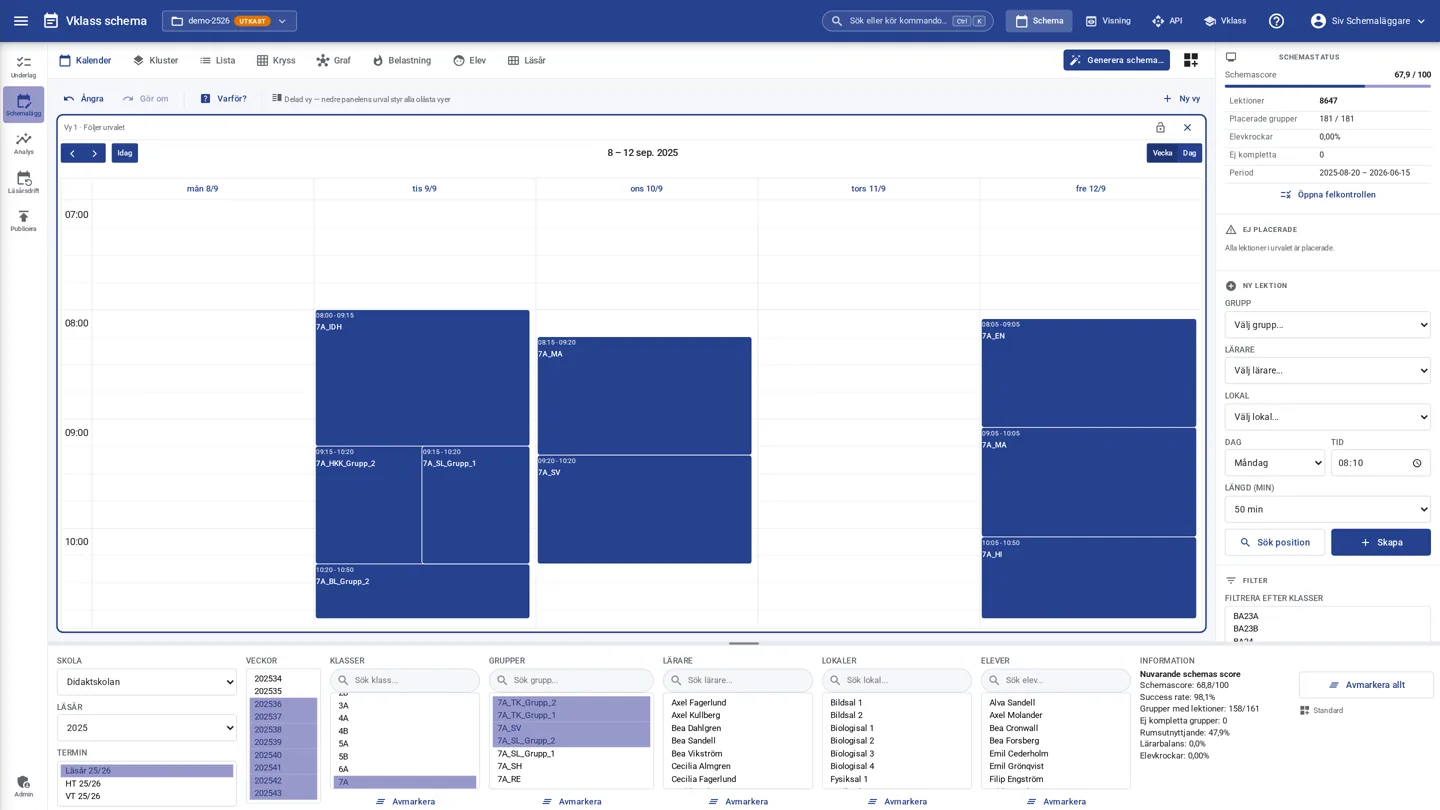
The weekly calendar exists for every class, group, teacher, room and individual student. Drag a lesson and the drop area turns green or red while you hold it. When something does not fit, you see the reason and room suggestions.
- Every placement is validated against all resources and individual students in under 1 ms
- Change a lesson's start and end time by dragging its top or bottom edge, snapped to the school's minute precision and never shorter than the school's shortest lesson
- Right-click: lock, duplicate, split, merge, change room, remove per week
- Plus and minus students and extra staff on individual lessons without changing the group or the work distribution
- Notes per lesson or series with role-based visibility, and joint teaching where linked lessons move together
- Personal workspaces with saved views, where your default view follows you to the next computer
- Split calendar view with up to four views side by side, where you can pin one view to a selection and keep working in the others
- Undo and redo throughout all editing
Four schedules on screen at once
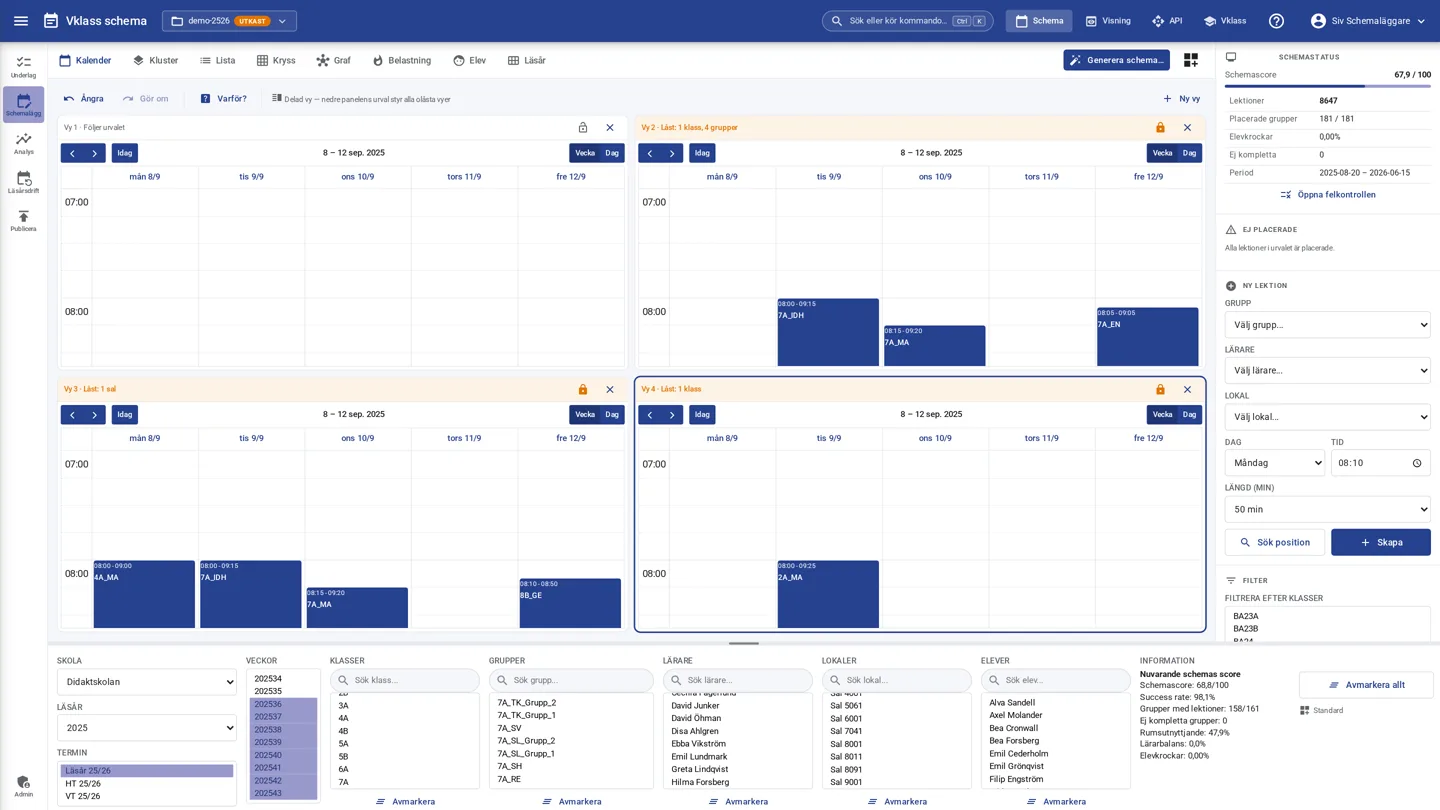
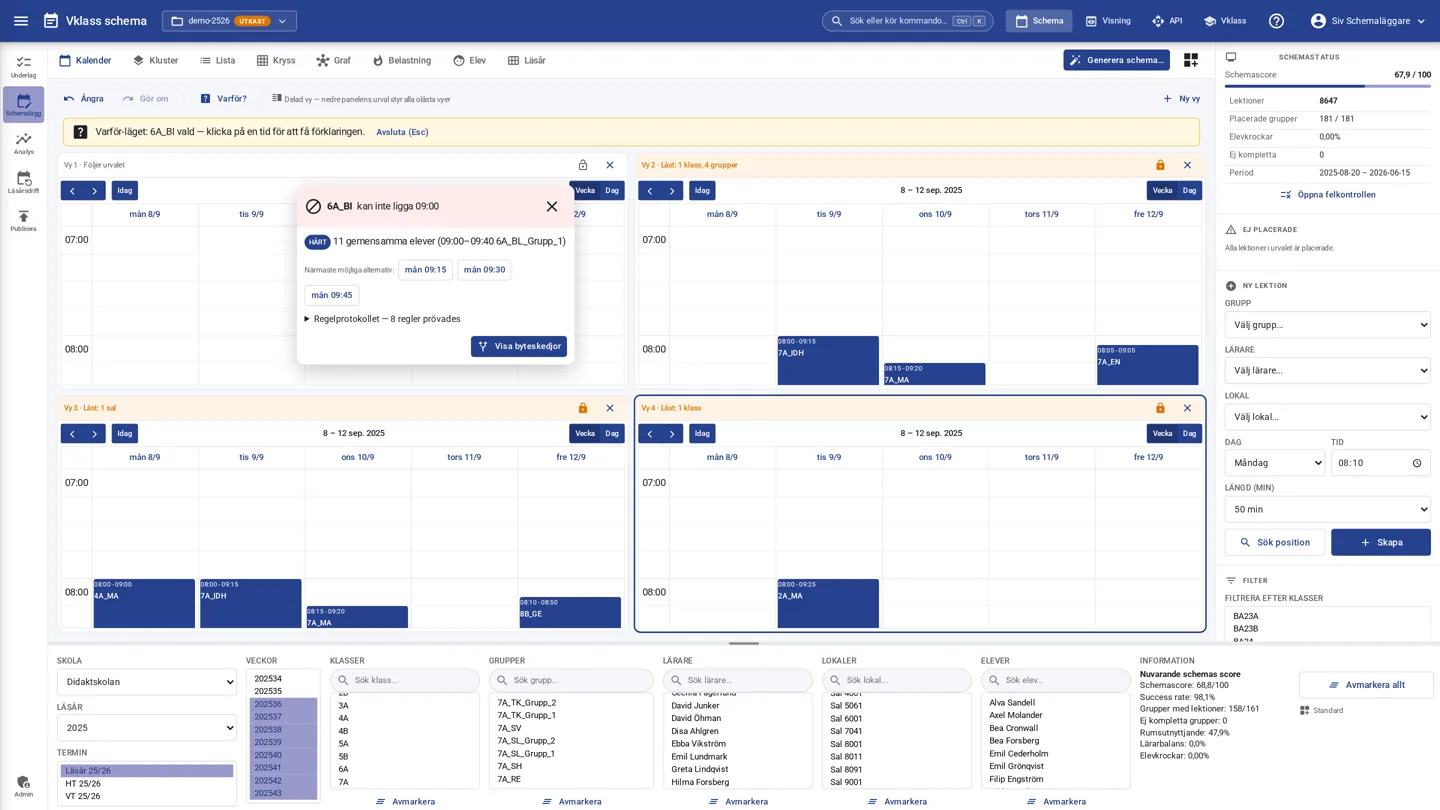
Split the calendar into up to four views side by side: the class you are working on, the affected teacher, the room and the parallel class. Lock a view to a selection and keep working in the others. When you move a lesson, you see the effect in every view immediately.
- Unlocked views follow the selection in the lower panel and locked views keep theirs
- Open the load map or the student's day as a pane and watch the map cool down in real time as you drag a lesson, with green and red fields already during the drag
- Several schedulers in the same schedule: presence, named markers and an activity feed
- Undo and redo apply to the whole schedule, regardless of which view the change was made in
- The set-up is saved in personal workspaces and follows you to the next computer
See how everything is connected
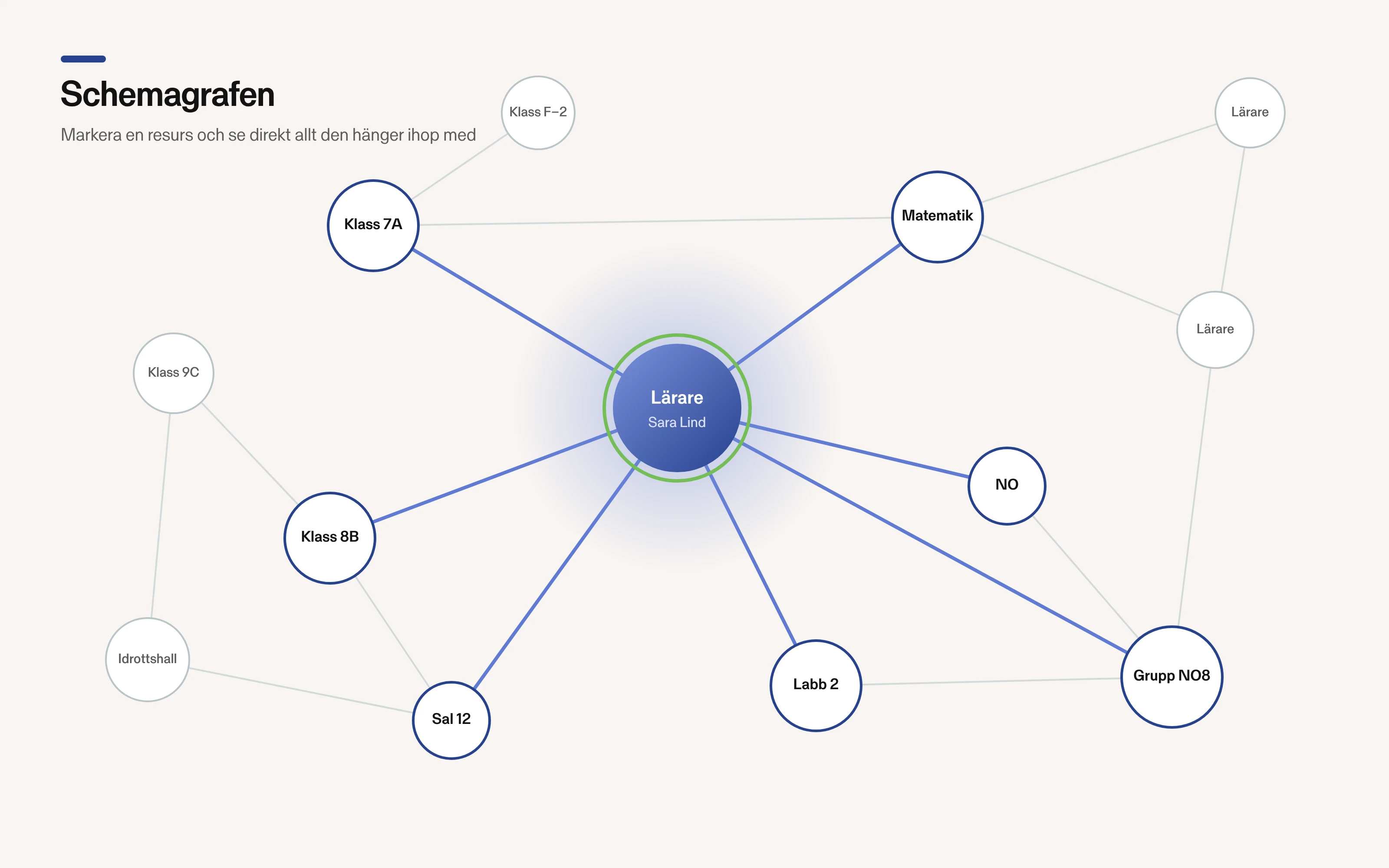
Behind every schedule is a network of dependencies. The graph view shows teachers, classes, groups, subjects and rooms as nodes. When you select a teacher, every resource the teacher shares with others lights up. That is how you find the bottlenecks before they become problems.
- Search for a resource and see its connections instantly
- Sensitive dependencies are visible before generation runs
- Detail panel with constraints and lesson series per node
The engine explains why a lesson does not fit
When a lesson cannot be at a certain time, the Why mode shows the cause chain: which lesson blocks, which rules were tried and the nearest possible alternatives. If the schedule does not add up at all, the infeasibility analysis reduces the errors to a handful of “knots” with ranked solutions. The swap planner searches for verified chains of moves, much like a chess engine tries variations.
- Hard stops are separated from soft costs, with the rule protocol in the open
- Swap chains are priced honestly and executed or undone as one unit
- Knot solutions are ranked by cost, including external actions
See where the schedule hurts and for whom
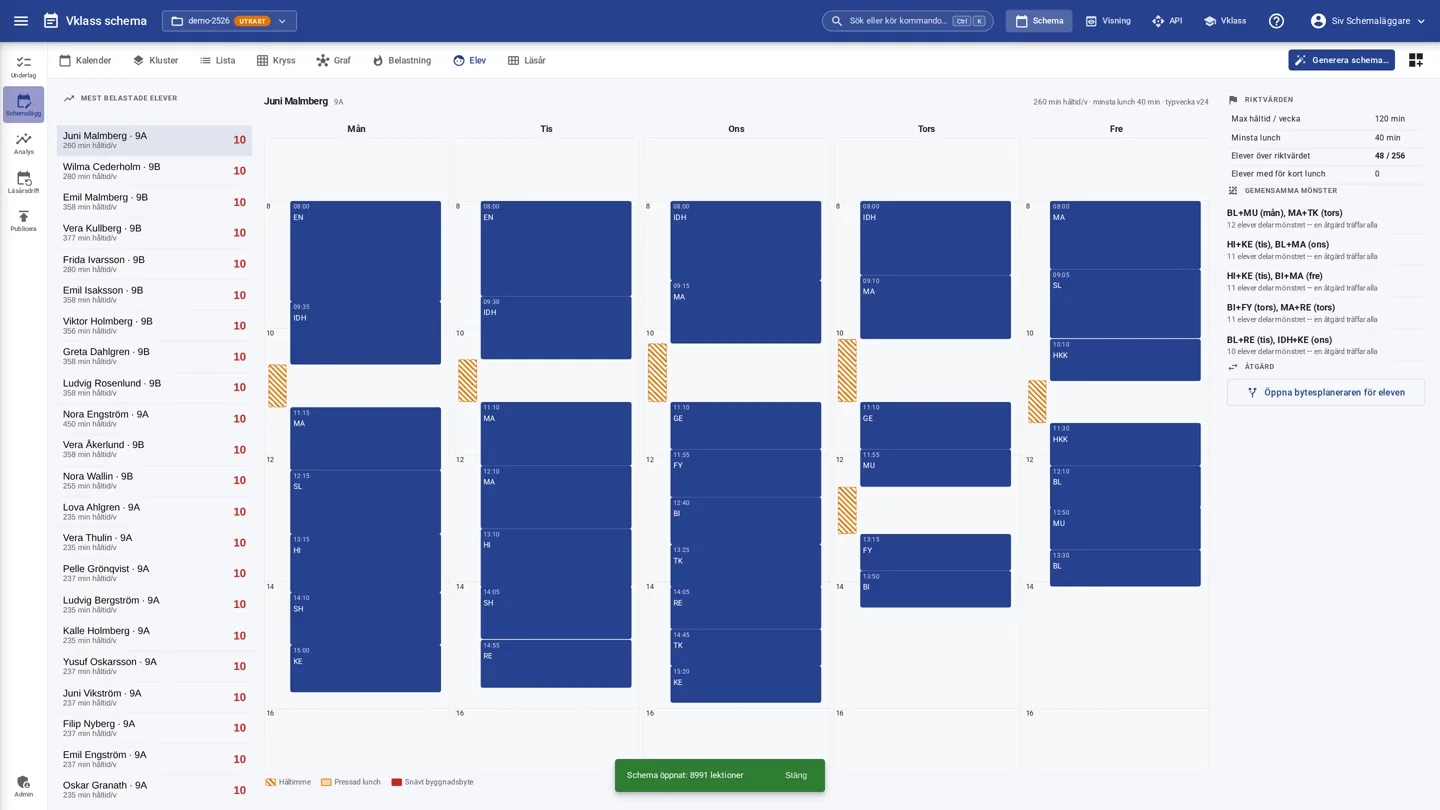
The load view is a heatmap of the week: gaps, heavy blocks, early and late times and squeezed lunches per class, teacher, room or student. Each cell explains itself when you click it. The student's day ranks the school's most burdened students, shows their week with the problems visible and follows up guidelines such as “14 of 412 students above the limit”. Open the load map as a pane next to the calendar and watch it cool down in real time as you move lessons.
- A heatmap with the worst cells of the week and open weights
- Guidelines for gap time and lunch, directly usable towards school management
- Shared patterns: one action reaches every student who shares the problem
The students' choices become lines with fulfillment as the gauge
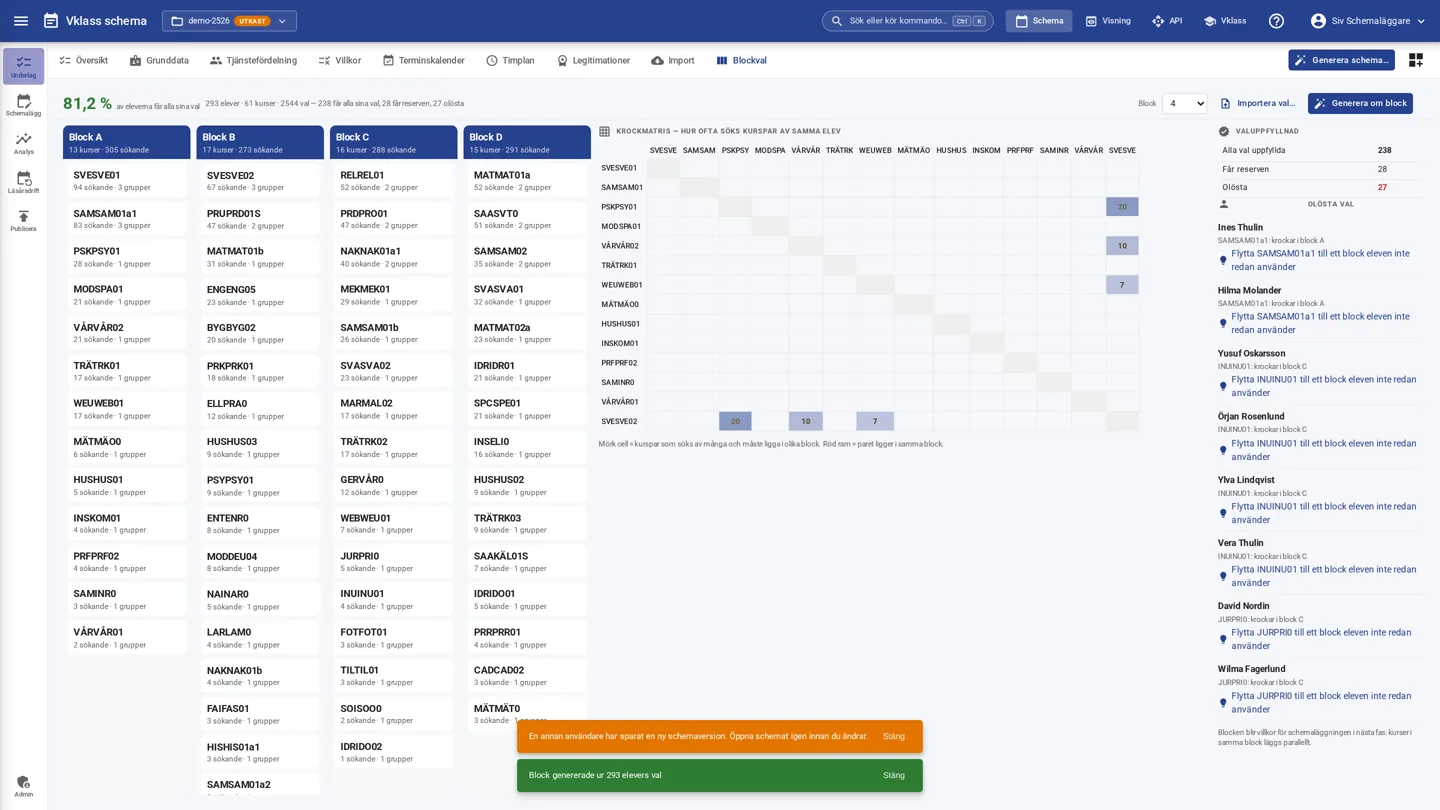
Students submit free, ranked course choices. The engine packs the choices into blocks so that courses chosen by the same students end up in different blocks. Choice fulfillment is the headline measure and updates instantly as you drag a course between blocks, and unresolved choices are pointed out with names and suggested actions.
- The conflict matrix shows which course pairs must be separated
- More fulfilled student choices with fewer groups: economy and student satisfaction in one measure
- The blocks become constraints for scheduling in the next phase
A complete timetable in seconds
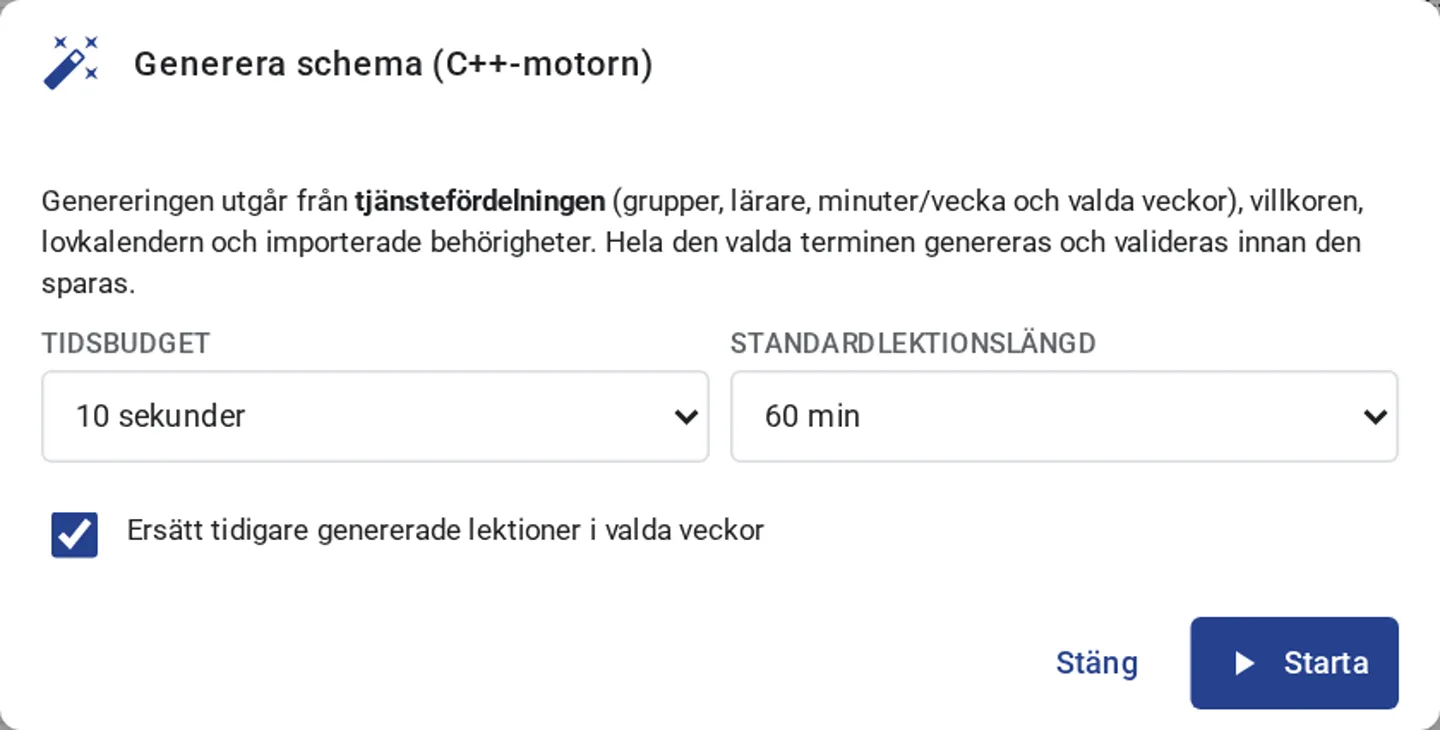
Generation runs in our computation pool, where several solvers work in parallel. It is built on advanced data models and several types of optimizing algorithms that try millions of timetable combinations within a time budget you choose yourself. Every run is traceable and can be compared with previous results. Lock what should stay fixed and regenerate the rest. The engine disturbs the existing timetable as little as possible.
- Full or partial generation with locked lessons
- If the timetable does not fit, the engine points out the bottlenecks and suggests relaxations
- Generation history with seed and key metrics makes runs traceable and comparable
- Computation continues on the server even if the browser is closed, with queue mode, estimated waiting time and real-time progress
Students, classes and groups without re-registration
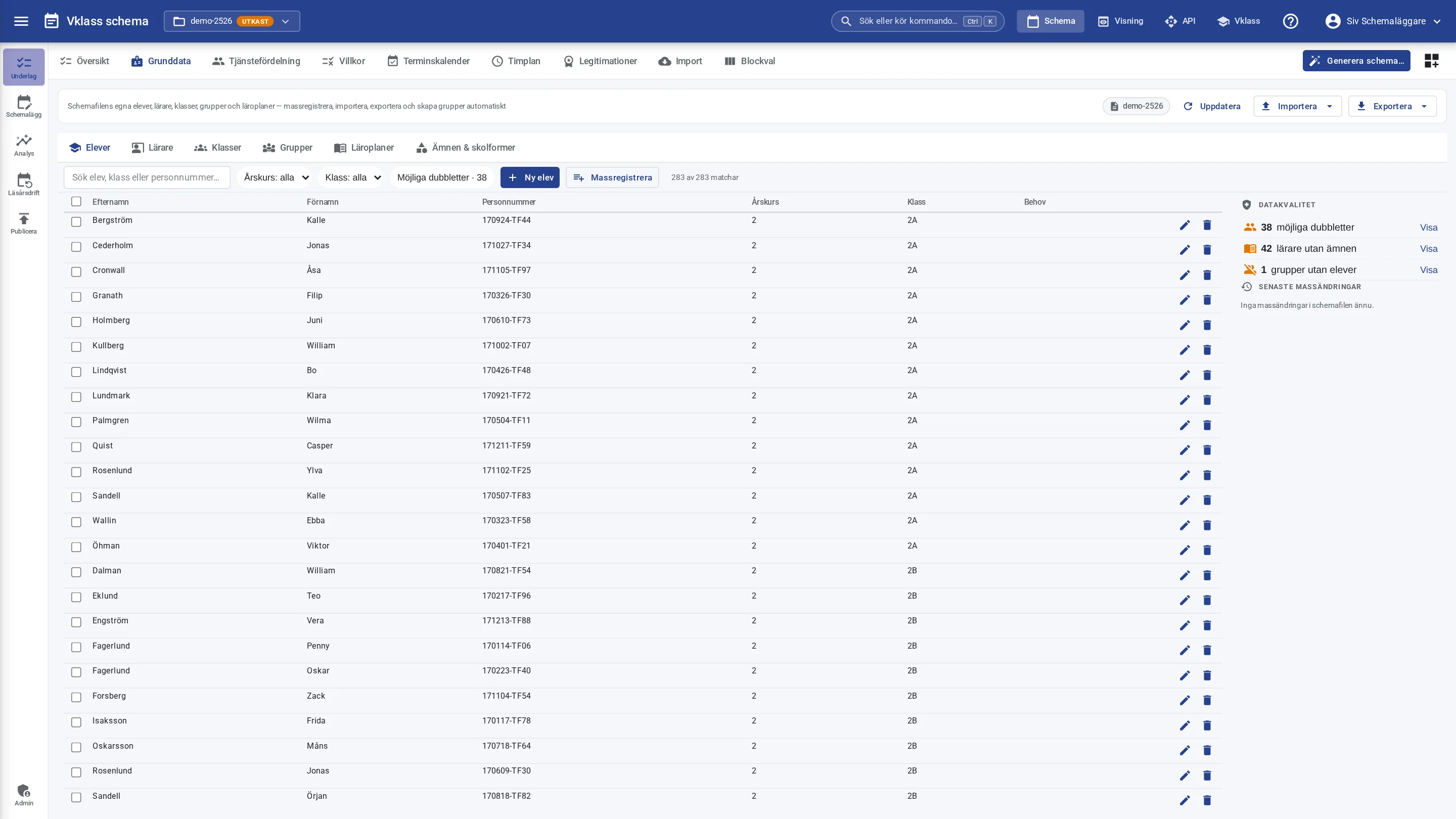
The timetable file carries its own register of students, teachers, classes, groups and curricula. Start from scratch, import from Vklass, Excel or SS 12000 or reuse last school year with automatic class promotion. Groups are created automatically from the compulsory school teaching-time plan or the upper secondary curriculum, and the automatic work distribution prioritizes class teachers and teacher continuity.
- The register as a spreadsheet: edit in the cell, fill down, Ctrl+Z and a selection bar
- Bulk register with a preview, where every row gets a status before anything is written and the whole batch can be undone
- Import with a diff: see the changes field by field and choose Accept or Keep mine per row
- Subject register with official curriculum codes per type of school
From staffing plan to finished timetable
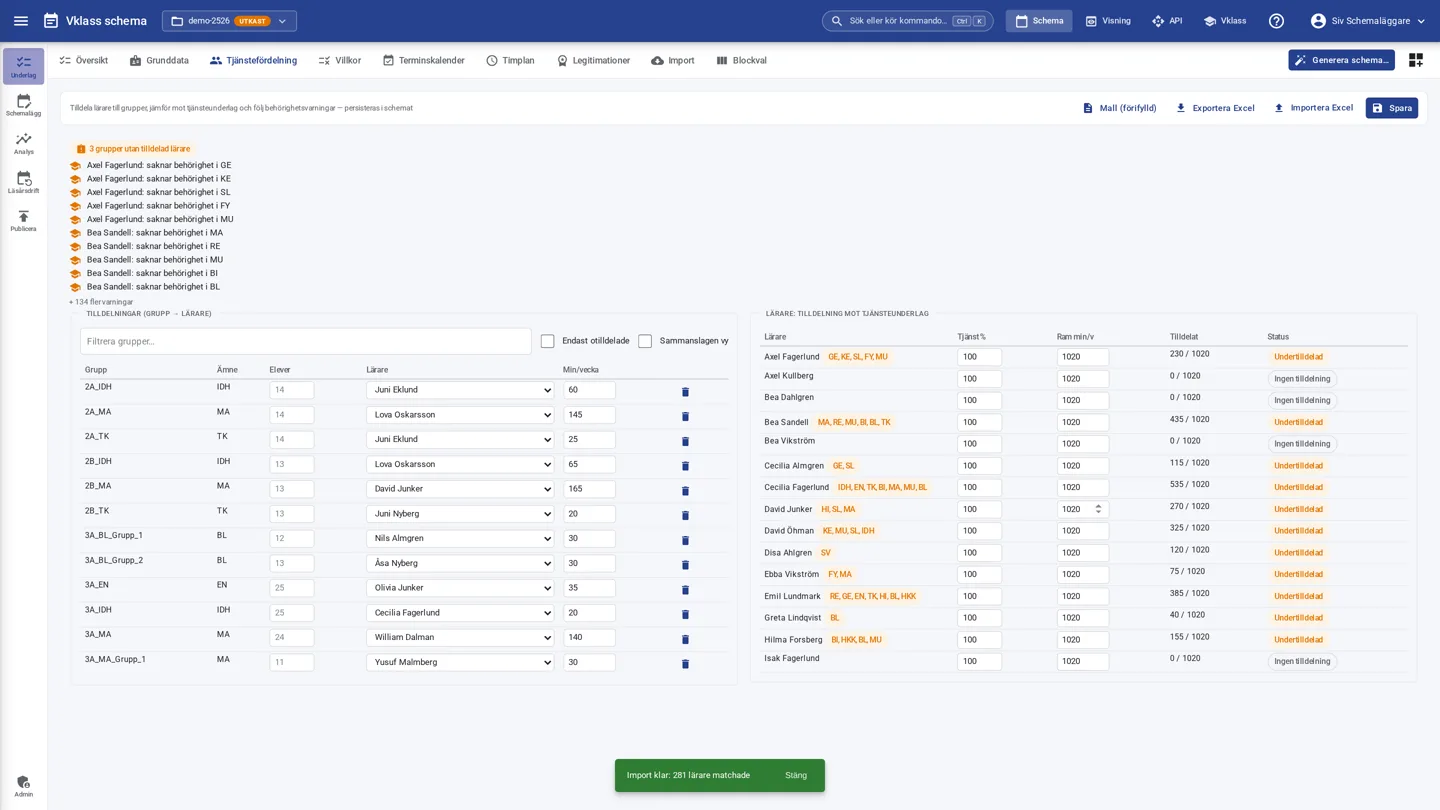
Assign teachers to teaching groups with hours, weeks and employment rate. Over- and under-allocation is visible immediately, and qualification warnings are based on the qualifications and subject knowledge you specify per teacher. Import and export via Excel whenever you want to keep working in spreadsheets.
- Framework-time report including break duties
- Student count per assignment row and a consolidated view per teacher and subject with weekly distribution
- Excel template pre-filled from the school's own data
- Qualification warnings immediately upon assignment
Quality you can show off
The full validation suite checks conflicts, lunch windows, day length, guaranteed teaching time against the teaching-time plan, teacher qualifications and framework time. Deviations are grouped by severity and link to the lesson in question.
- Explain mode shows which resources and constraints cause the problem
- Real-time analysis warns about impossible constraints before generation even starts
- Teaching-time follow-up per subject and year group, with holidays excluded
Substitute plan, break duties and room booking
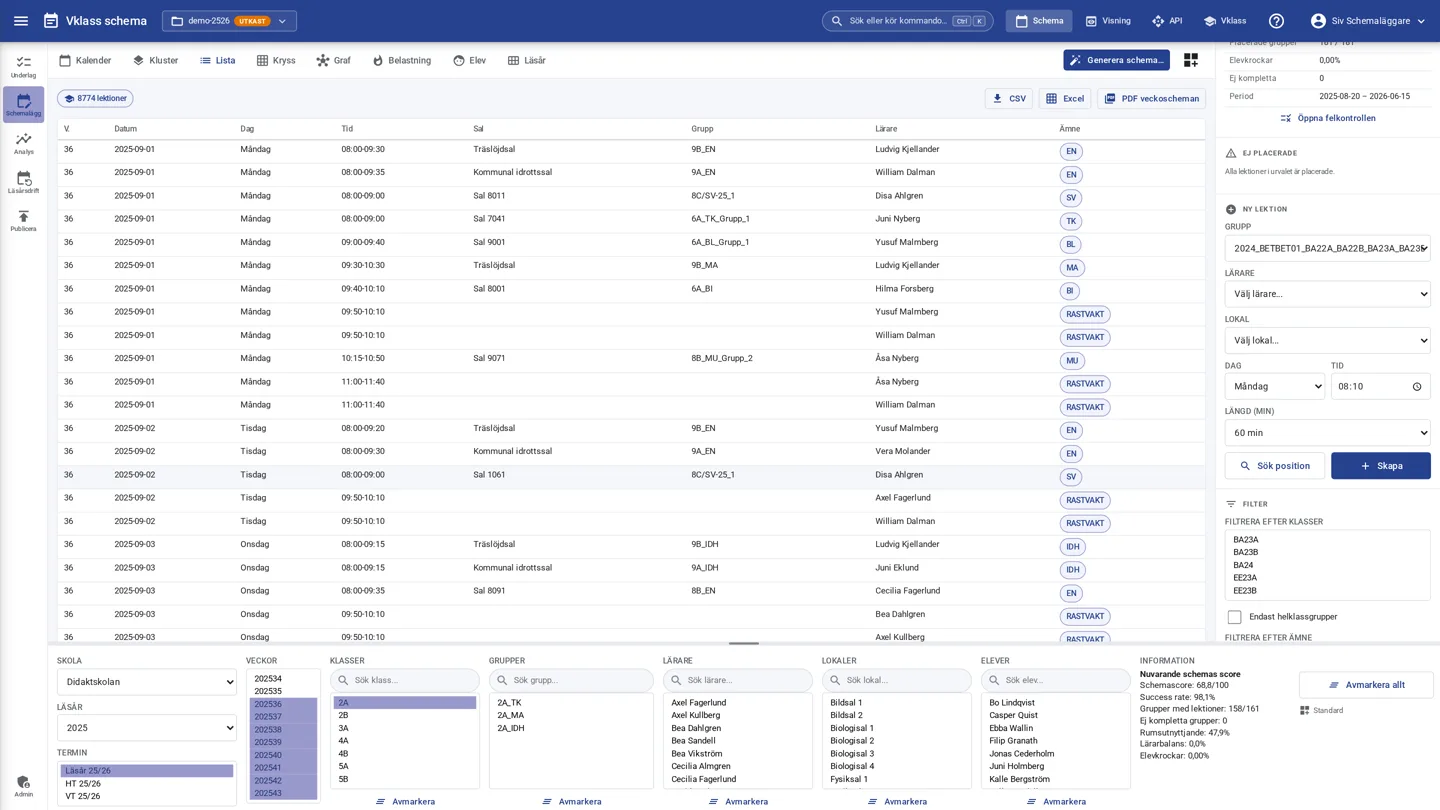
The timetable lives all year. In case of absence, the substitute plan suggests qualified colleagues with free time and a reasonable workload, and the day's plan is printed as a PDF. Break duties are distributed automatically and fairly. Staff search for and book free rooms directly in the schedule viewer according to the school's booking rules. The municipal facility booking service can book rooms without seeing personal data.
- Substitute suggestions based on qualification, availability and framework time
- Fair distribution of break duties as a dedicated optimization goal
- Staff booking of rooms with conflict checking against the timetable and other bookings
- The school administrator controls which rooms, days and times are bookable
- PDF export of personal, class, group and room timetables
From finalized timetable to the school's everyday life
Publishing to Vklass
Finalized lessons are published to Vklass and reach teachers, students and guardians in the schedule they already use. The impact analysis shows which students, teachers, rooms and notifications are affected before you confirm, so nothing comes as a surprise after publishing.
Schedule viewing for the whole school
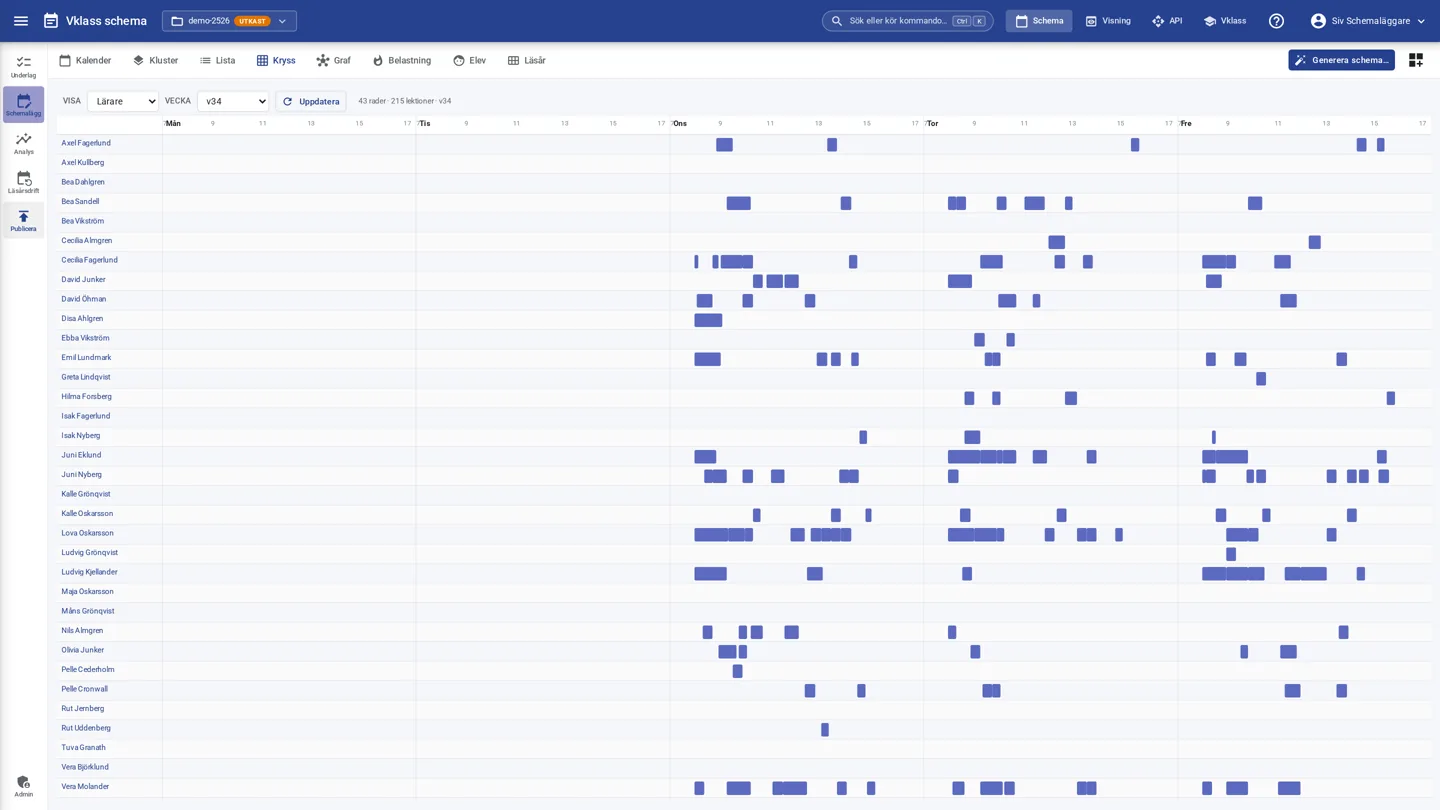
Look up timetables for staff, classes, rooms and groups in a clean weekly view, or an individual student's timetable via the class. The viewer has smart search, color-blind-friendly color schemes, visual support with pictograms per subject for younger students, iCal export to any calendar and printing as an A4 PDF. Teachers see their own duty statistics and can approve new timetables or send structured requests back to the timetabler.
Cost and KPI analyses
The analyses show utilization for teachers and rooms, gaps, conflicts, weekly distribution and operating costs with your own cost assumptions. Compare timetable versions and export as CSV or PDF. The outcome report shows gaps before and after, average school day and room utilization per generated timetable. Dining hall occupancy at lunchtime has its own overview with a capacity line.
Working-time conditions built in
The timetable follows the teachers' working-time conditions. They can be specified per teacher with adjustable figures, and error checks cover breaks, daily rest, weekly rest and yearly teaching caps. The conditions are stored as employment terms and never as union membership.
Permissions, traceability and concurrency
Roles and permissions on the server
Permissions for organization, school, class, group, teacher and room are enforced on the server. Create custom roles for your organization in the role administration; a change takes effect immediately for everyone with the role. Municipal room bookers never see personal data, and staff serving at several schools are protected from conflicts between the schools without timetables being exposed.
Schedule library with versions
The library shows all of the school's timetables as visual cards with thumbnail, key metrics and quality assessment: drafts, preliminary and finalized timetables across several school years. Every change is logged and older versions can be restored without rewriting the history.
Several timetablers at once
Work in parallel with concurrency control and instant notifications when a colleague saves. No one overwrites anyone else's work by mistake.
Three languages and dark mode
The interface is available in Swedish, English and Norwegian, and each user switches language directly in their profile card. Dark mode follows the computer's setting or is chosen manually, and the choices are saved to the account and follow the user between devices.
Get started in 90 seconds
New users are offered a built-in product tour, adapted to their role, where the steps are done directly in the real interface. The Get started checklist ticks off the first steps as they are actually completed, and the help menu opens the guides in a panel next to the schedule.